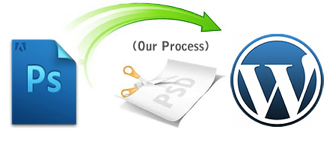
PSD to WordPress offers solutions for picking up a selected design, coding it and getting it going. The selected design is converted to a full functional word press theme which is ready be uploaded. Coders, experts in their field, develop your creation into a detailed extraordinary piece of art which is compatible and can be uploaded quickly. The process results in converting everything including the header image and the footer the way you require. The prompt and efficient service can be relied upon, each time.
1. Tutorials to design WordPress themes
There are a series of tutorials which help you design WordPress themes. The steps are easy to follow resulting in WordPress themes that have a professional touch. Create your own personalized theme from tutorials that include: PSD to HTML, Create WordPress themes from scratch, Create website from Photoshop to WordPress with Divine, PSD to CSS to WordPress, converting PSD to WordPress theme, Theme development, PSD to WordPress Series, Free WordPress Theme Design Tutorial with source, and Photoshop to WordPress.
2. Create WordPress from PSD
 Website creation needs a couple of criteria in hand. First of all, a user friendly and attractive design is important. Second, the website code should have been both efficient and useable. A good website needs both these components in equal measure. Website designing is a highly creative activity a characteristic which only a few are bestowed with. When it comes to designing, you have to have adequate knowledge of PHP, HTML, Java script, and CSS. It is possible to be able to design a website but without the coding knowledge you cannot move ahead.
3. Special tools for non programmers
WordPress has come as a boon to non programmers from the open source community. The content management system is designed to be used easily by the user to produce a high quality website. However, in WordPress it is not an easy process to create a website. For a layman, easy steps are available to produce the required template.
4. Begin with slicing
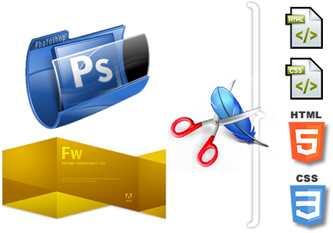 The first step to make a website begins with slicing which involves division of the image into several design files; each has a specific design component fitting into the main design. This is an important requirement as the entire design is not coded in a single image. In a completed website, each component is attached with others and has its own purpose or use. Move on to the next step by coding the images in to an HTML or XHTML format. It needs to be styled using CSS. For this step, a coder must have a thorough knowledge of both CSS and HTML. Software’s like Dreamer and Fireworks are the preferred choice by coders.
5. Index.html needs to be broken
 The creation of a WordPress should lead to the formation of a website that can be uploaded easily. So after you convert PSD to WordPress, you need to make sure the website has plugins. Without requiring complicated HTML codes, you can add WordPress tags in the theme files to get the desired function. Although the website is ready, additional functions can be added on.