Elementor AI is now a deeply integrated AI suite inside the Elementor editor — it generates copy, layouts, images, and code; includes an AI Site Planner to create sitemaps/wireframes; and is available as part of Elementor’s unified offerings (Elementor One / Editor Pro) with credits-based usage on paid plans. It’s built for speed and prototyping, but agencies should use it as a productivity co-pilot, not an autopilot.
What’s new & important (recent updates)
-
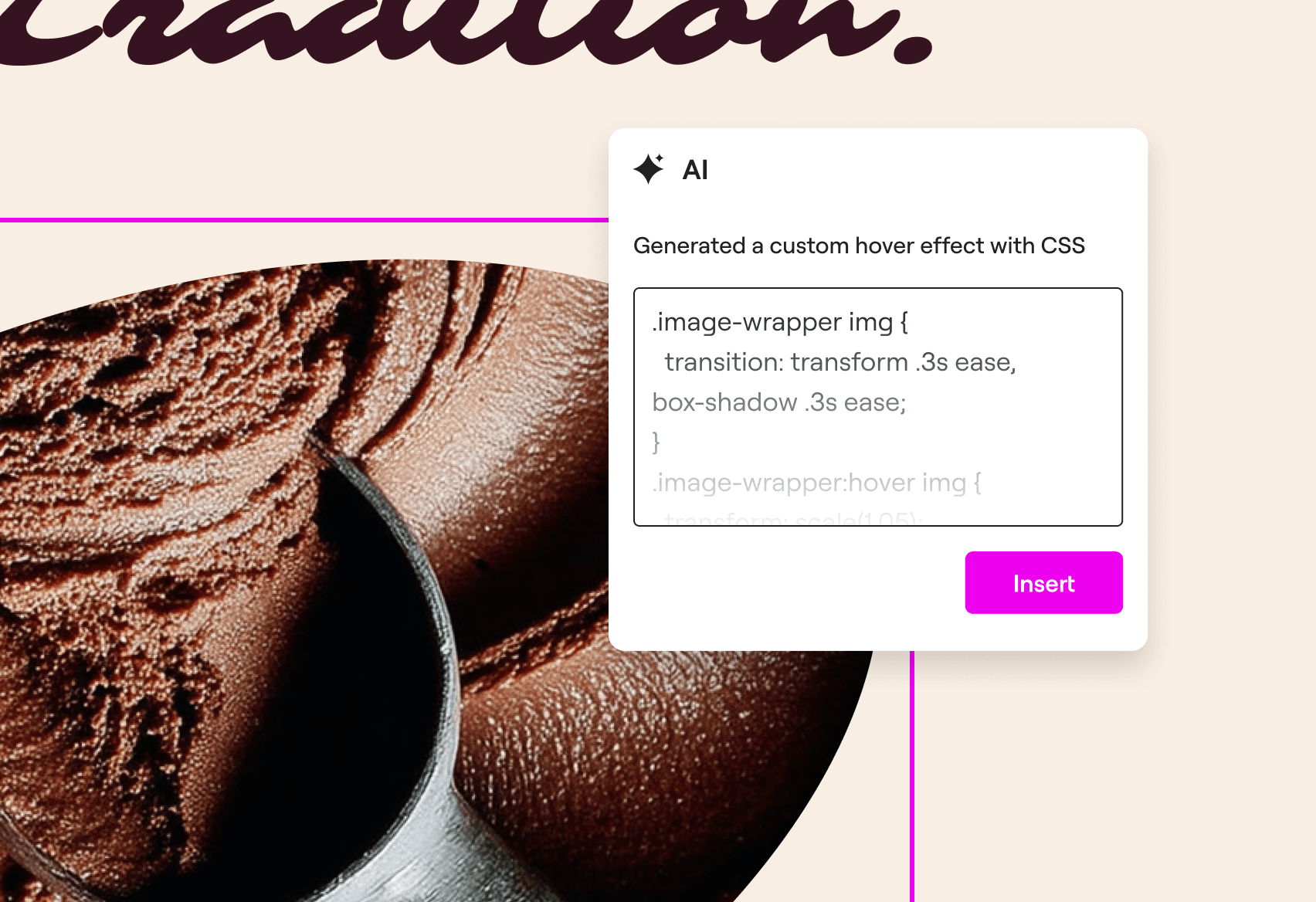
Native AI inside the editor — Elementor AI now lives directly in the visual editor so designers can generate section copy, entire page layouts and wireframes, images, and even CSS snippets without leaving the canvas. This tight integration reduces context switching and accelerates prototype → client review workflows.
-
AI Site Planner (sitemap & wireframe generation) — the Site Planner can produce a site map and page wireframes from a short brief (target audience, pages needed, tone), giving teams a fast first draft for client approval. It’s especially useful for scoping commercial proposals and discovery sessions.
-
Credits & plans model (Elementor One / Pro integration) — AI features are tied to Elementor’s plans and shared credit system in the “Elementor One” offering. Usage is credit-based (free trials / limited free use exist but heavier usage requires paid plans/credits). Check the pricing matrix before committing to heavy AI usage for multiple client sites.
-
AI-driven workflow improvements announced in recent updates — Fall-2025 and subsequent releases focused on expanding AI workflows (planning, accessibility, hosting integrations), the Editor V4 evolution, and polishing the AI UX for designers and agencies. Those get progressively rolled into the product.
-
Mature feature set now includes:
-
Content generation & rewriting (section copy, headings, CTAs)
-
Layout generation (AI suggests grid/section structure and placeholder content)
-
Code assistance (CSS snippets and adjustments tailored to selected elements)
-
Image generation / editing inside the editor
-
Planning tools (site maps and wireframe skeletons).
These features were announced as part of Elementor’s broader AI roadmap since the initial Elementor AI release.
-
How agencies should use Elementor AI — practical workflows
Discovery & scoping
-
Use AI Site Planner to generate a first-pass sitemap + page list from the client brief. It speeds proposal scoping and gives a visual artifact to discuss scope & pricing before manual design work.
Rapid prototyping
-
Generate page wireframes + placeholder copy with Elementor AI, then iterate manually. This cuts time to a first client demo from days to hours.
Content & microcopy
-
Use AI for draft headings, meta descriptions, CTAs, and content rewrites — but always perform editorial and SEO review before publishing (tone, accuracy, facts, and E-E-A-T).
Speed up small tasks
-
Generate custom CSS snippets for minor visual fixes (e.g., spacing, responsive tweaks) using the Code Assistant, and test them before applying globally.
Design systems & reuse
-
Create a repeatable process: generate base section with AI → convert to a reusable block/preset → maintain brand tokens (colors/typography) in presets.
Pricing & licensing (what to check)
-
Elementor AI capabilities appear through Elementor One / paid plans with a credits model — there’s free trial usage but production agency usage will likely require paid credits/plan. Confirm the current credit limits and whether credits are pooled across client sites (Elementor One unifies many capabilities). Plan details and pricing should be checked on Elementor’s pricing page.
Try Elementor AI for faster site builds
Speed up discovery, prototyping, and content creation with Elementor’s built-in AI tools — Site Planner, Copilot, image & code assistants. Check plans and credits to see what fits your agency workflow.
Disclosure: This link is an affiliate link. WPChats may earn a commission if you purchase through this link at no extra cost to you.
Pros & Cons — Agency view
Pros
-
Massive time savings during discovery and prototyping.
-
Designer-friendly: integrated into the editor (no tool-switching).
-
Helpful for junior designers and content teams to scale output.
Cons / Caveats
-
Quality & fidelity: AI output often needs editing for brand voice, factual accuracy, and SEO.
-
Ownership & legal: If you plan to publish client content generated by AI, verify client acceptance & disclosure requirements, and be mindful of third-party content/copyright risks.
-
Cost & credits: Heavy usage across many client sites can become expensive; track credits per project.
Risks, compliance & best practices
-
Always edit and human-review AI content. Treat AI as a first draft tool, not a final publisher.
-
Document provenance for client approvals: mark which parts were AI-assisted in project notes and client sign-off.
-
Accessibility & SEO checks: run Lighthouse/accessibility audits and SEO checks on AI-generated pages — the AI can help create content but won’t automatically solve accessibility or structured data requirements.
Quick feature checklist for your post (copyable)
-
AI Copilot for content & layouts — yes.
-
AI Site Planner (sitemap & wireframes) — yes.
-
Code Assistant (CSS snippets) — yes.
-
Image generation inside editor — yes.
-
Credits-based pricing via Elementor One — yes. Check pricing.
Recommendation for agencies
-
Pilot on internal or low-risk client projects to estimate credit usage and workflow impact.
-
Build a QA checklist (voice/tone check, SEO check, accessibility check) for every AI-assisted deliverable.
-
Limit direct client publishing of AI drafts until a human editor signs off.
-
If you’re doing high-volume site launches, negotiate credits or enterprise plans with Elementor sales.
Try Elementor AI for faster site builds
Speed up discovery, prototyping, and content creation with Elementor’s built-in AI tools — Site Planner, Copilot, image & code assistants. Check plans and credits to see what fits your agency workflow.
Disclosure: This link is an affiliate link. WPChats may earn a commission if you purchase through this link at no extra cost to you.